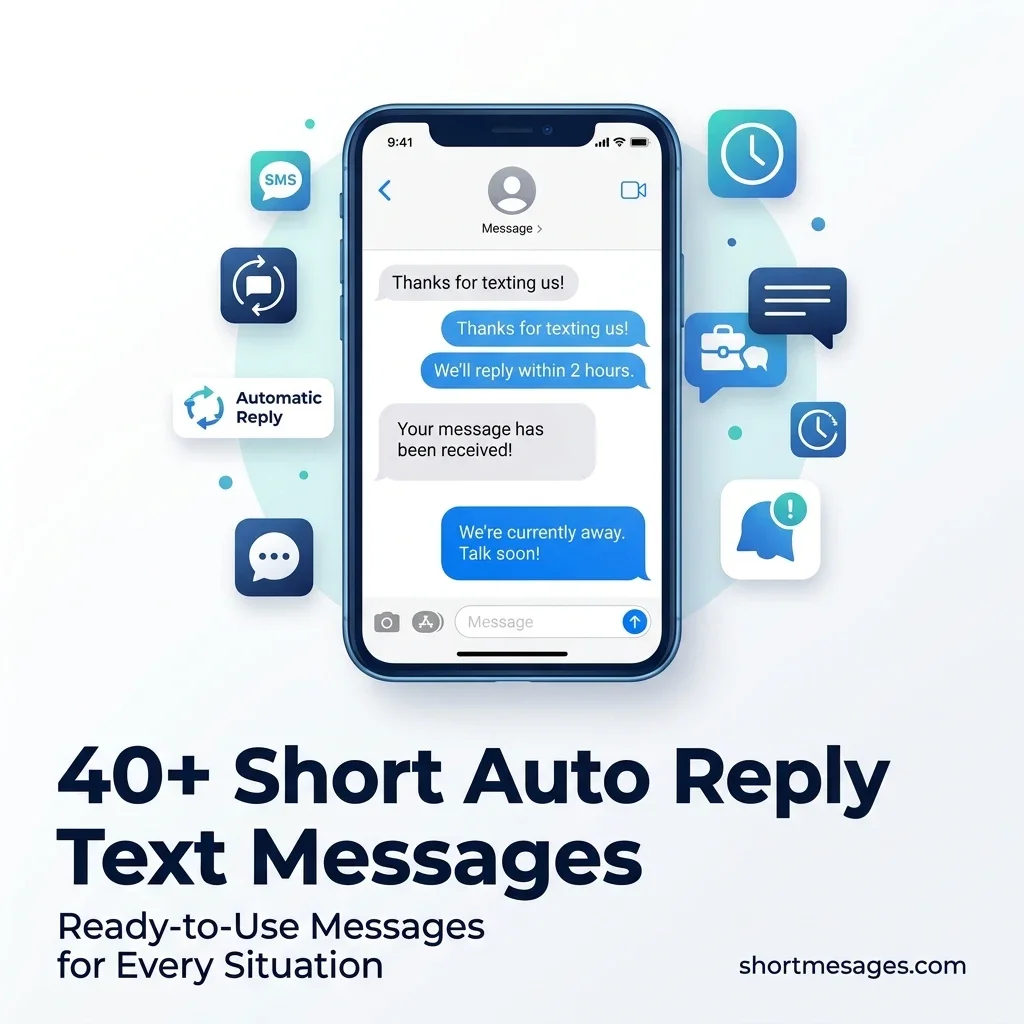
You can’t answer every text the moment it lands. A short auto reply text tells people you got their message and when to expect an answer.
Below are 40 ready-to-use auto reply text messages for business and personal use. Each one is short, clear, and built for US readers.
Table of Contents
What Makes a Good Short Auto Reply Text Message?
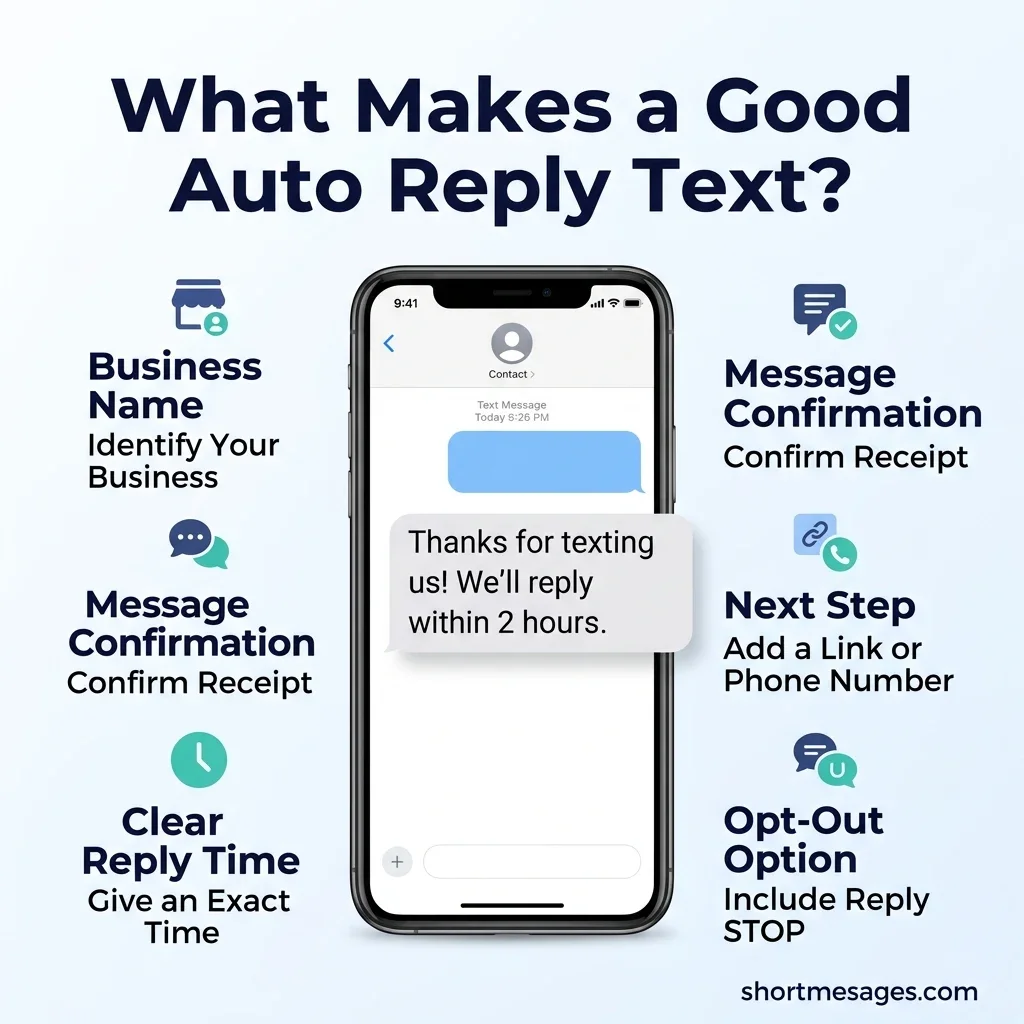
A good auto reply text message confirms the message arrived, gives a real reply time, and offers one next step. It stays short enough to read in a few seconds.
A thoughtful auto-reply can help you stay connected while taking time to rest or focus on personal matters. If someone close to you is feeling unwell, sharing sweet get-well wishes for her is a lovely way to offer comfort, encouragement, and remind her that she is in your thoughts.
An auto reply text is an automatic message sent when someone texts you. It works like a quick “got it” from your business or phone.
Strong short auto replies share five parts:
- Your business name, so people know who is replying
- A clear confirmation that the message arrived
- A real reply time, like “by 10 a.m.,” not “soon”
- One next step, like a booking link or phone number
- An opt-out line on outbound texts, like “Reply STOP to opt out”
Keep each message near 160 characters. A standard text holds 160 characters, but one emoji or curly quote can push the SMS character limit down to 70 characters. Longer texts split into parts.
Speed matters too. Sales data from Drift, shared by Salesloft, shows that reps who replied within two minutes had the best chance of booking a meeting. An instant reply keeps the customer engagement alive.
Match your brand voice. A salon can sound warm. A law office should sound calm and direct.
40 Short Auto Reply Text Messages to Copy and Paste
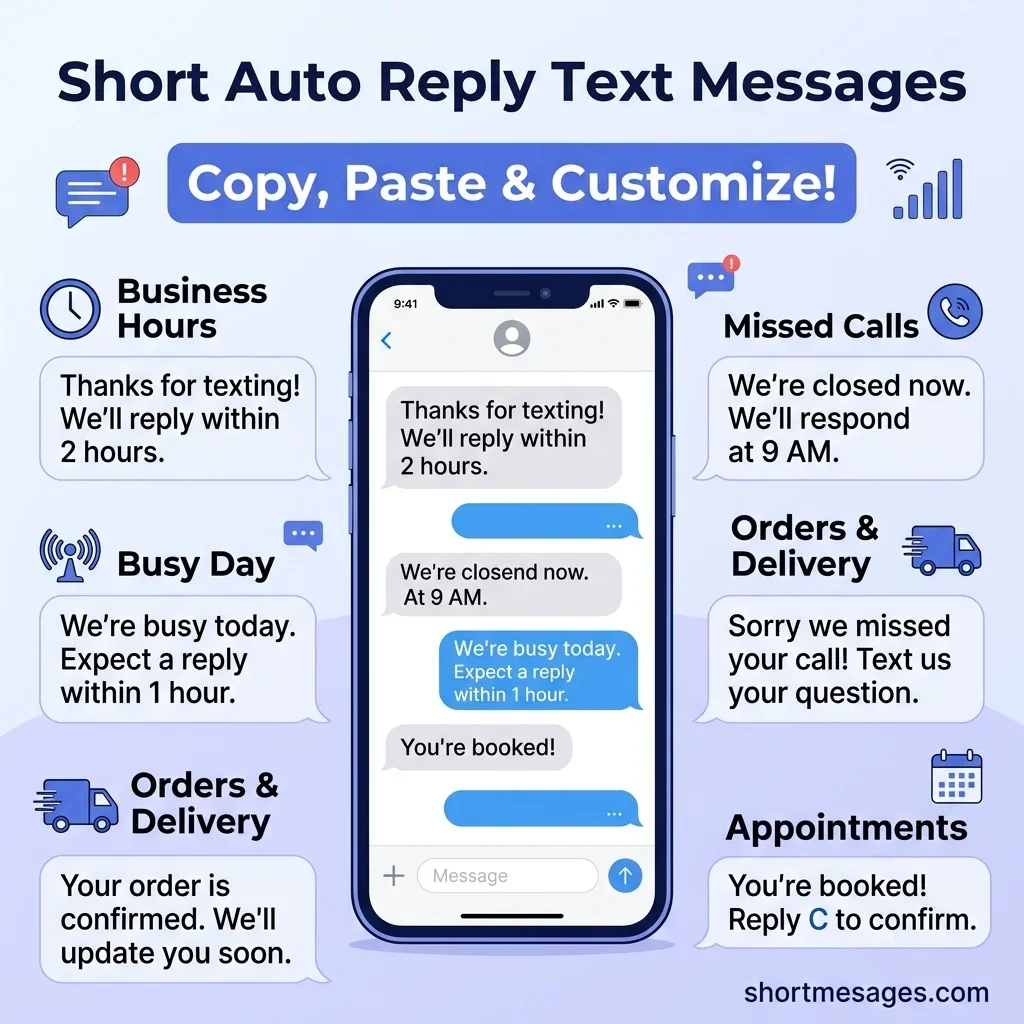
Swap the words in [brackets] with your own details. Placeholders change the length, so recheck the character count after you edit.
These first replies work when a customer texts you during business hours.
Thanks for texting [business name]! We got your message and will reply within [2 hours]. Need help now? Call [phone number].
Hi! This is [business name]. Your message is in, and a real person will text you back today by [time].
Thanks for reaching out! We’re on it. Reply with your name and question so we can help faster.
Got it! [Business name] will reply in about [15 minutes]. For quick answers, visit [short link].
Hello from [business name]! Thanks for your text. We’ll be with you shortly.
Use these after-hours auto reply texts when your doors are closed. Always say when a person will be back.
Thanks for texting [business name]! We’re closed now and open again at [9 a.m.]. We’ll reply first thing.
Hi! Our team is off for the night. Book anytime at [short link] or text us here. We’ll reply by [10 a.m.].
You’ve reached [business name] after hours. Your message is saved. We’ll text back when we open at [time].
Closed for the weekend! We reopen Monday at [9 a.m.] and will reply in the order we got messages.
Thanks for your text. We’re offline until [time]. Urgent? Call [phone number]. Otherwise, we’ll reply soon.
Hi, it’s late here! Check hours and prices at [short link]. We’ll answer your text in the morning.
Slow days happen. These busy-day auto reply messages set the right expectation and keep customers calm.
Thanks for your patience! We’re extra busy today. Replies may take up to [1 hour]. Your message is next in line.
Our sale is going strong! Texts are coming in fast, so we’ll reply within [one business day]. Answers: [short link].
We got your text! A few team members are out today, so replies are slower. Thanks for waiting.
Busy day at [business name]! We’ll text you back by [time]. Need something quick? Visit [short link].
Set these holiday auto reply texts a few days ahead, with exact dates. Switch them off when you return.
Happy holidays from [business name]! We’re closed until [date] and will reply when we’re back.
We’re closed for [holiday] on [date]. Orders placed now ship on [date]. We’ll reply to your text then.
Thanks for texting! Our team is on a short break until [date]. We’ll answer every message in order.
Closed today for a staff day. We’re back tomorrow at [9 a.m.] and will text you then.
A missed call text back saves leads that might call a rival next. These work for missed calls and voicemails.
Sorry we missed your call! This is [business name]. Text us your question and we’ll reply soon.
We saw your missed call and will ring you back by [time]. Want faster help? Reply with your question.
Thanks for your voicemail! We got it and will call or text you back within [2 hours].
Sorry we missed you! Book online at [short link] or reply with a good time to call.
Customers want proof that an order went through. These order and delivery auto reply texts cut down on “where is my order?” messages.
Thanks for your order, [name]! Order [number] is confirmed. We’ll text when it ships. Reply STOP to opt out.
Good news, [name]! Your order shipped. Track it here: [tracking link]. Reply STOP to opt out.
Your [business name] order is ready for pickup at [location]. Store hours: [hours]. Reply STOP to opt out.
Hi [name], your order is running late. New date: [date]. Thanks for waiting. Reply STOP to opt out.
Simple reply codes like C and R make appointment confirmation texts easy to answer. They also help reduce no-shows.
Hi [name], your appointment at [business name] is set for [date] at [time]. Reply C to confirm or R to reschedule.
Reminder: you have an appointment tomorrow at [time] with [business name]. Reply YES to confirm. Reply STOP to opt out.
Your appointment is canceled as requested. Want to rebook? Reply with a day and time.
Thanks for booking with [business name]! Please arrive 10 minutes early. Reply STOP to opt out.
Some texts need a person fast. These quick reply messages hand the chat to your team and calm upset customers.
Thanks for texting. This sounds urgent. A team member will reply within [30 minutes]. For emergencies, call [phone number].
We hear you, [name]. A team member is on your message now and will reply by [time].
Sorry about the trouble! We passed your text to [name], who’ll reply by [time]. No need to repeat anything.
Thanks for your patience. A real person will take over this chat shortly. Share your order number to speed things up.
Personal out-of-office auto reply texts help when customers text your own number. Name a backup contact when you can.
Thanks for your text! I’m out of the office until [date]. For anything urgent, contact [name] at [phone number].
I’m away today with limited phone access. I’ll reply tomorrow. If it can’t wait, call [phone number].
Hi, I’m driving right now and will text you back when I park. Thanks for waiting!
I’m in a meeting until [time]. I’ll reply as soon as I’m out. Thanks for your patience!
I’m on vacation until [date] and will reply when I’m back. For urgent matters, text [name] at [phone number].
How to Write and Set Up an Auto Reply Text Message
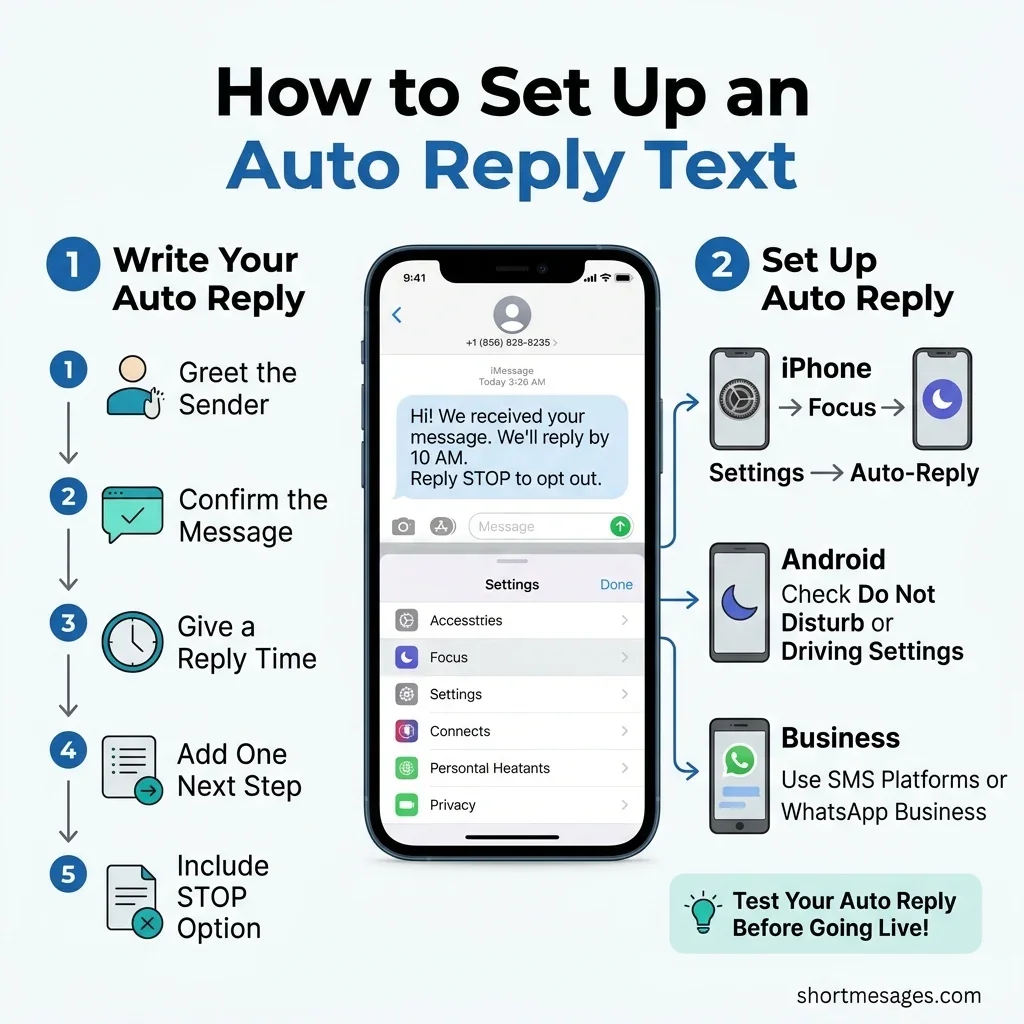
To write an auto reply message, follow one simple formula: greet, confirm, give a time, add one next step, and opt out. Then pick a tool that sends it for you.
Start with the greeting and confirmation. Say your business name and that the message arrived. Add a real reply time next. “Within 2 hours” beats “as soon as possible.”
Then add one call to action (CTA), like a booking link or a phone number for urgent cases. Use a shortened link to save space. Keep your brand voice steady across every template.
To auto respond to a text message on an iPhone, open Settings, tap Focus, pick a Focus like Do Not Disturb, and turn on Auto-Reply. Pick who gets the message and type your text. Android phones differ by brand, so check your phone’s Do Not Disturb or driving settings.
Business owners have more options:
- Business phone and SMS platforms offer built-in auto replies for texts, missed calls, and after-hours contacts.
- WhatsApp Business has an away message for closed hours.
- Automation tools like Zapier can send a text when a trigger fires, such as a new booking or order.
- Email has its own tools. Gmail’s vacation responder and Outlook’s automatic replies handle out-of-office notes.
Gmail limits repeats. According to Google’s help page, most senders get the vacation reply only once, then again after four days if it’s still on.
Always test before going live. Text your own number from another phone. Check the personalization, links, timing, and character count.
Know when not to automate. If a chat often ends with “let me talk to a person,” add a human handoff instead. Complaints and refunds need a real voice.
US Rules and Common Mistakes to Avoid
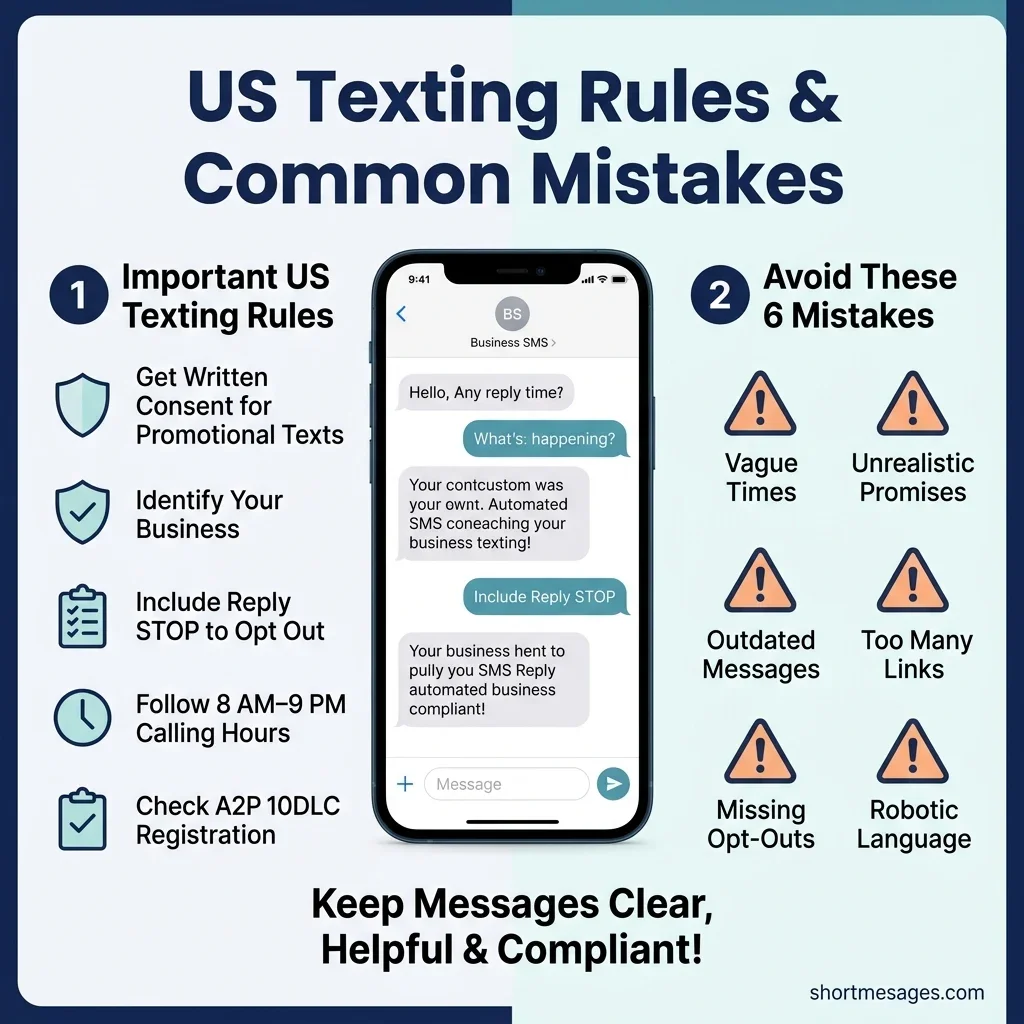
Auto replies are simple, but US texting has rules. Follow them to keep your messages safe and welcome.
The TCPA (Telephone Consumer Protection Act) governs business texting. Promotional texts need written opt-in consent. Every automated text should name your business and include an opt-out like “Reply STOP.” The federal rule on telemarketing calls and texts also sets calling hours of 8 a.m. to 9 p.m. in the recipient’s time zone. This is general information, not legal advice. Ask a lawyer about your case.
Businesses that text from standard 10-digit numbers should also check A2P 10DLC registration. US carriers use it to approve business messaging.
Avoid these common mistakes:
- Vague timing. “Soon” tells customers nothing.
- Overpromising. Don’t write “within an hour” if no one is there.
- Stale messages. Remove old holiday or sale texts the day you return.
- Too many links. One link is enough.
- Missing opt-outs. Add one to every outbound reminder or update.
- Robotic tone. Write the way you’d talk at the counter.
Review your templates each season. Hours, prices, and policies change, and customers believe what your text says.
FAQs
What is a good auto-reply text message?
A good auto-reply text message is short, clear, and personal. It confirms the message arrived, gives a real reply time, and offers one next step, like a link or phone number. It names your business and stays near 160 characters. Outbound texts should include an opt-out line.
How to write an auto-reply message?
Use five steps. Greet the sender, confirm you got the message, give a specific reply time, add one next step, and include an opt-out on outbound texts. Keep it under 160 characters. Write in your normal voice, then test it by texting your own number.
How to auto respond to a text message?
On an iPhone, go to Settings, then Focus, pick a Focus, and turn on Auto-Reply. On Android, check your Do Not Disturb or driving settings, since steps vary by brand. Businesses can use a texting platform, WhatsApp Business away messages, or a tool like Zapier.
What are examples of quick reply messages?
Examples include “Thanks for texting! We’ll reply within 2 hours,” “We’re closed now and open at 9 a.m.,” and “Sorry we missed your call! Text us your question.” Each one confirms receipt, gives timing, and keeps the customer in the loop. See the 40 examples above.
Conclusion
A short auto reply text keeps customers calm and your brand sharp, even when you can’t answer right away. Pick the messages that fit your hours, add real times, and test them first.

Founder & Content Writer, ShortMesages.com
William Sanwal is the founder and lead writer behind ShortMesages.com, a website dedicated to helping people find the right words for every moment in life.