Quick reply messages are saved replies you send with one tap. They help you answer common questions fast, without typing the same text again and again.
This guide gives you 30 copy and paste quick reply messages for business. You also get setup steps, US texting rules and simple tips to reply quickly.
Table of Contents
What Are Quick Reply Messages for Business?
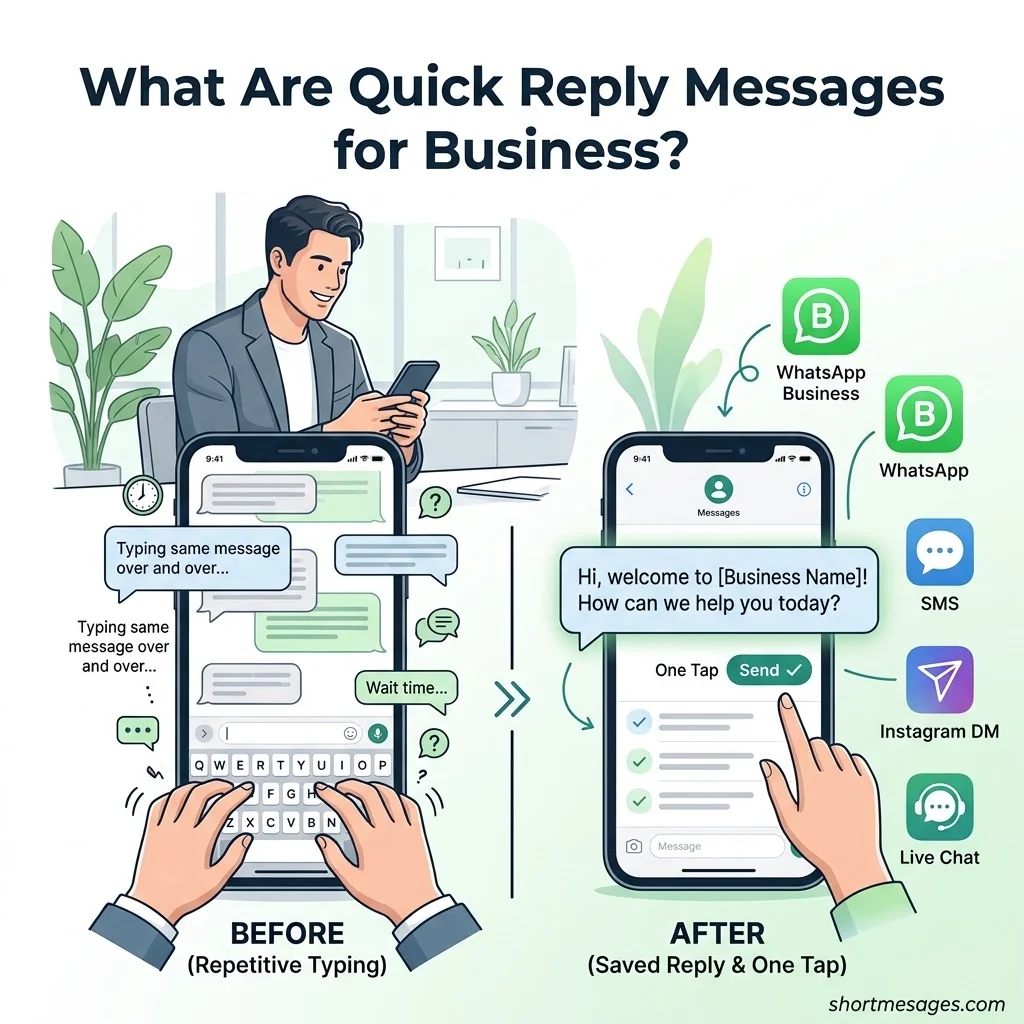
Quick replies save time on repeat questions. Here is what they are and how they differ from other tools.
Quick replies help businesses communicate with customers faster, but keeping every response clear and concise is equally important. Understanding the ideal character limit for text messages can help you create professional, easy-to-read replies that deliver your message effectively without unnecessary words.
What are quick reply messages? They are saved, ready-to-send texts. You pick one with a shortcut, edit it if needed, and hit send. People also call them canned responses, saved replies or message templates.
They are not the same as auto-reply messages. A greeting message or an away message sends by itself. A quick reply waits until you send it.
You can use them in the WhatsApp Business app, SMS tools, Instagram DMs, Facebook Messenger and live chat. Many shared inbox and CRM tools, including those linked to Shopify and WooCommerce stores, also support them.
Speed matters. A HubSpot survey from 2018 found that 90% of customers rate an immediate response as important or very important. About 60% said “immediate” means 10 minutes or less.
Quick replies help in three ways. They cut your response time. They keep your tone of voice steady across the team. They also reduce typos.
How to Reply Quickly: Set Up Quick Reply Messages in Minutes
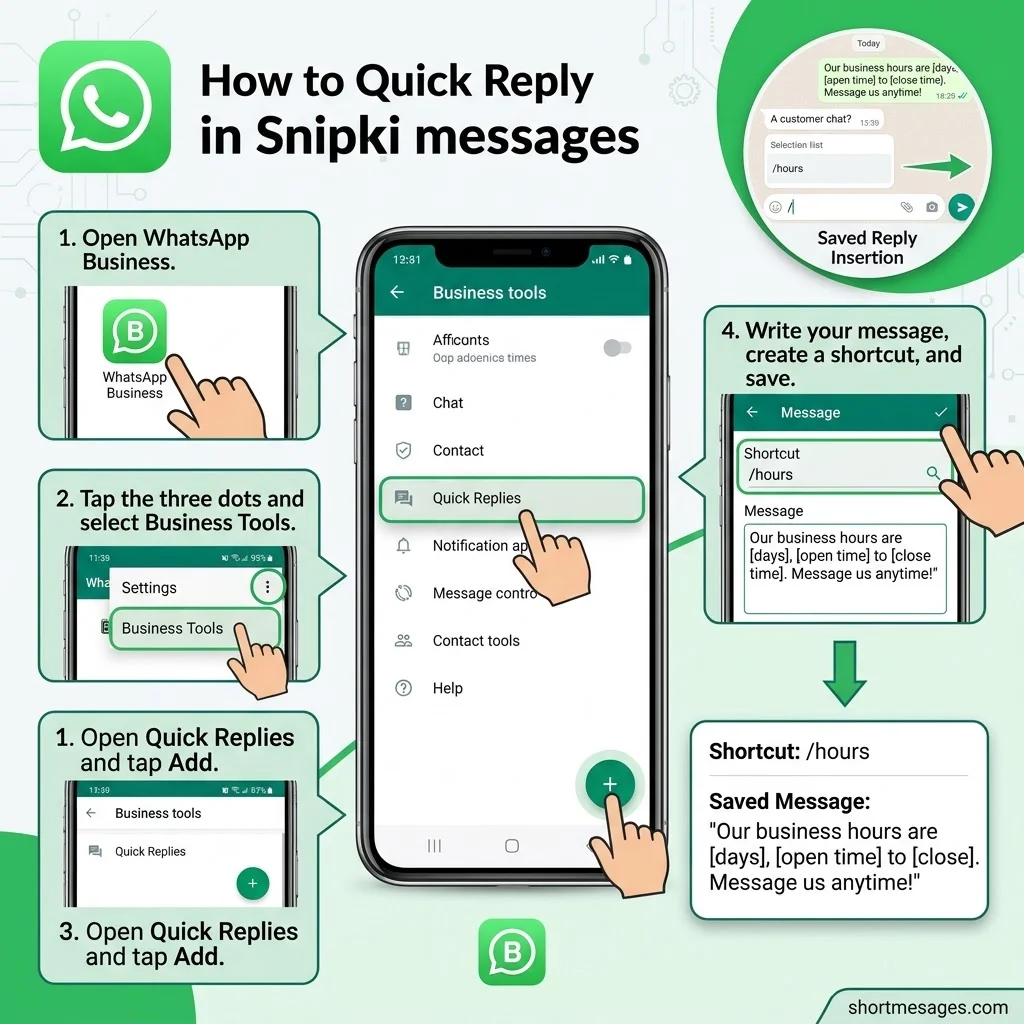
Setup takes about five minutes. Here is the simple path on the WhatsApp Business app, plus a few tips for teams.
How to reply quickly? Save your most common answers. Give each one a short shortcut. Type “/” and the shortcut in the chat, add the customer’s name, and send.
To create one in the WhatsApp Business app, open the app and tap the three dots. Go to Business tools, then Quick replies. Tap the add button, write your message, set a shortcut such as /hours, and save.
Know the limits. The app allows up to 50 quick replies, with 25 characters for the shortcut and 500 for the message. Each reply also stays on the device where you made it. Limits can change with app updates, so check yours.
Working as a team? The app suits one person on one device. For several agents, use the WhatsApp Business Platform (API) through a shared inbox tool. Instagram and Messenger inboxes also offer saved replies.
Keep your shortcuts short and clear, like /ship, /refund and /hours. Use your 50 slots on the questions you get most. Always edit the first line before you send, so the reply feels human.
30 Copy and Paste Quick Reply Messages for Every Business Moment
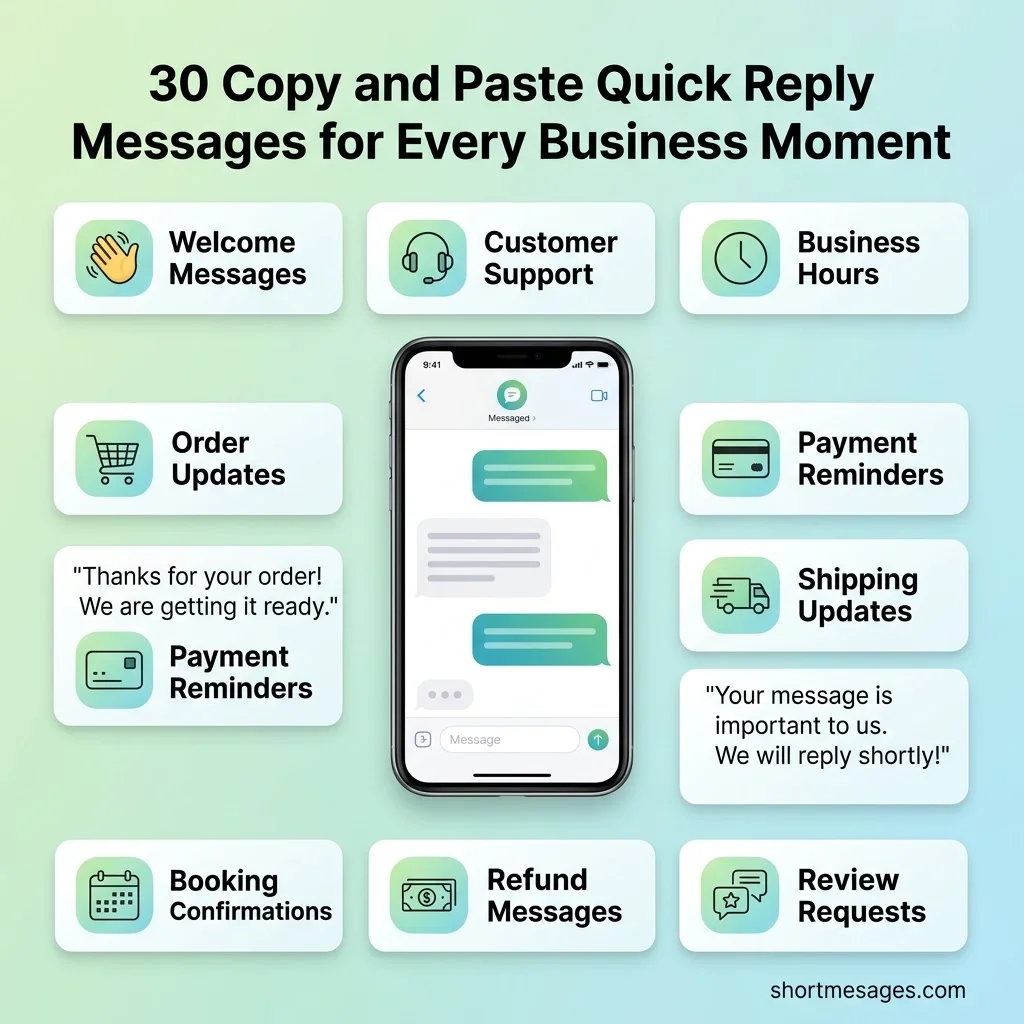
Each message below stays under 500 characters, so it fits WhatsApp Business limits. Swap the [brackets] with your own details.
Welcome message. Shortcut: /welcome. Use it when a new customer writes first.
Hi, and welcome to [Business name]! Tell us what you need and we will point you the right way. We usually reply within [time] during [hours].
Agent greeting. Shortcut: /intro. Use it to add a human touch.
Hi [Customer name], this is [Agent name] from [Business name]. Thanks for reaching out! How can I help you today?
Returning customer greeting. Shortcut: /back. Use it for people who have bought before.
Welcome back, [Customer name]! Good to hear from you again. Is this about something new, or about your last order?
Ask for details. Shortcut: /help. Use it when the first message is unclear.
Thanks for messaging [Business name]. To help you faster, please share your question. If it is about an order, add your order number.
Opening hours. Shortcut: /hours. Use it for the most common question of all.
Our hours are [days], [open time] to [close time] [time zone]. Message us any time and we will reply once we open. Thanks for your patience!
After-hours reply. Shortcut: /closed. Use it for evenings and nights.
Thanks for your message! We are closed right now and will be back [day] at [time] [time zone]. Your message is saved and we will reply first thing. For urgent issues, please call [phone number].
Weekend reply. Shortcut: /weekend. Use it when the team is off on Saturday and Sunday.
Thanks for reaching out! Our team is off for the weekend and back Monday at [time]. We answer messages in the order we got them. If it is about an order, please send your order number now.
Holiday closure. Shortcut: /holiday. Use it for national holidays and shop breaks.
Happy [holiday]! We are closed until [date]. Orders placed now will ship from [date], and we will reply to your message as soon as we are back.
Reply to a short “ok” or “thanks”. Shortcut: /thanks. Use it to close the loop politely.
You are welcome! If anything else comes up, just message us here. Have a great day!
Reply to a short “hi” or “?”. Shortcut: /hi. Use it when a customer sends very little.
Hi there! Happy to help. Could you tell us a bit more about what you need? A product name or order number works great.
Reply to “price?”. Shortcut: /price. Use it for one-word price questions.
Thanks for asking! [Product name] is [price]. It comes in [sizes or options]. Want us to check stock for you?
Order received. Shortcut: /ordered. Use it right after checkout.
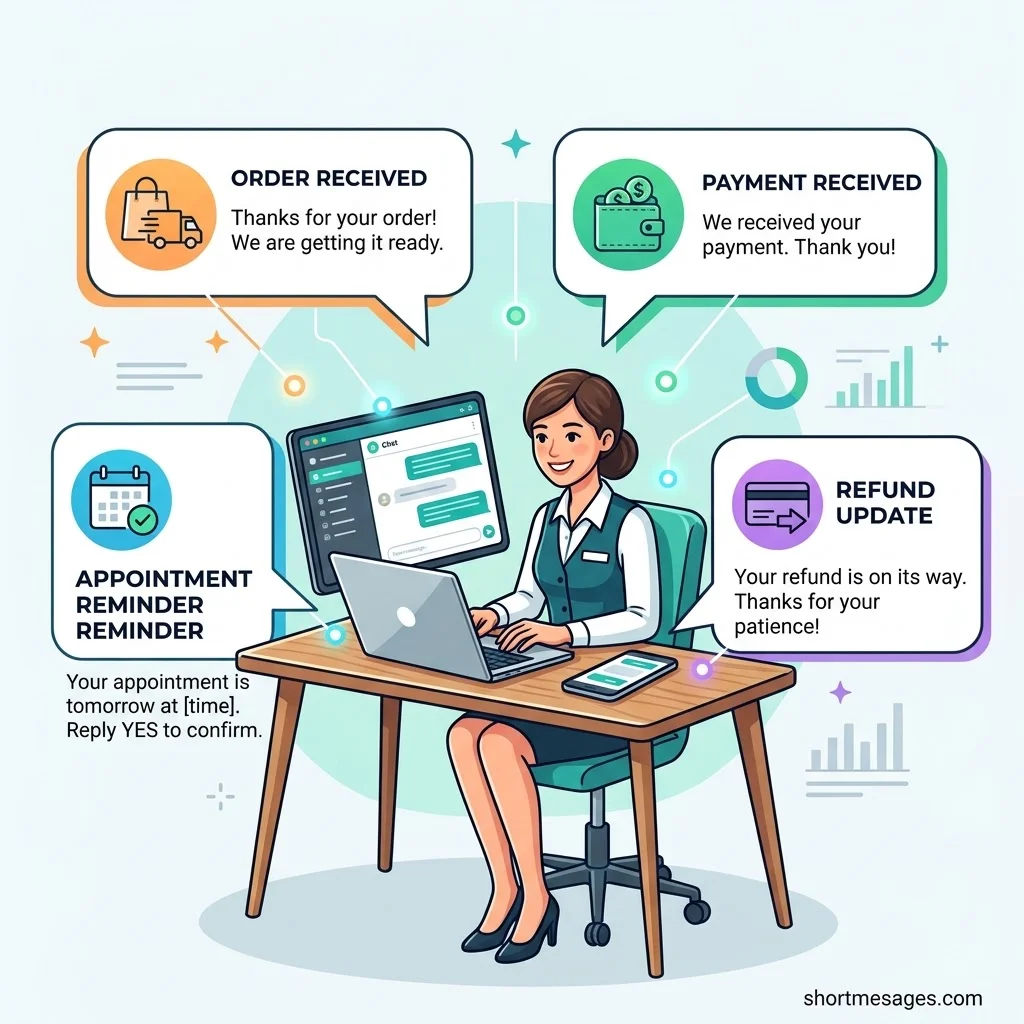
Thanks for your order, [Customer name]! We got order [order number] and are getting it ready. We will message you as soon as it ships.
Tracking update. Shortcut: /track. Use it the moment a parcel leaves.
Good news! Order [order number] has shipped. Track it here: [tracking link]. Most orders arrive in [number] business days.
Shipping delay. Shortcut: /late. Use it when a package runs behind.
We are sorry, your order [order number] is running late because of [short reason]. It should now arrive by [date]. Thank you for waiting, and reply here if you have questions.
Delivery problem. Shortcut: /issue. Use it for lost or damaged parcels.
Sorry your package did not arrive as planned. Please send your order number and a photo if the item is damaged. We will make it right within [time].
Payment received. Shortcut: /paid. Use it to confirm a payment.
Thank you, [Customer name]! We received your payment of [amount] for [order or invoice number]. A receipt is on its way to your email.
Friendly payment reminder. Shortcut: /due. Use it for unpaid invoices.
Hi [Customer name], a quick reminder that invoice [invoice number] for [amount] is due on [date]. You can pay here: [payment link]. If you already paid, thank you, and please ignore this note.
Booking confirmation. Shortcut: /booked. Use it after someone books a service.
You are booked, [Customer name]! Your [service] is set for [day], [date] at [time]. Please arrive 5 minutes early. Reply here if you need to change anything.
Appointment reminder. Shortcut: /remind. Use it a day before the visit to cut no-shows.
Friendly reminder: your [service] is tomorrow at [time] at [address]. Reply YES to confirm, or tell us if you need to reschedule.
Reschedule request. Shortcut: /move. Use it when a customer needs a new time.
No problem, we can move your appointment. Which day and time work better for you? We will confirm the new slot as soon as we check the calendar.
Return policy. Shortcut: /returns. Use it for “can I return this?” questions.
You can return items within [number] days of delivery if they are unused and in the original packaging. Send your order number and we will share the next steps. Full policy: [link].
Refund issued. Shortcut: /refund. Use it once the money is on its way.
Your refund of [amount] is on its way. It usually shows up on your card within [number] business days, depending on your bank. Thanks for your patience!
Quote follow-up. Shortcut: /quote. Use it a few days after sending a price.
Hi [Customer name], just checking in on the quote we sent on [date]. Do you have any questions, or would you like us to adjust anything? We are happy to help.
Back in stock. Shortcut: /stock. Use it for customers who asked about a sold-out item.
Good news, [Customer name]! [Product name] is back in stock. We can set one aside for you today. Want us to hold it?
No discount available. Shortcut: /nodiscount. Use it to say no with a smile.
Thanks for asking! We do not offer extra discounts right now beyond the prices on our website. Join our email list at [link] to hear about our next sale first.
High message volume. Shortcut: /busy. Use it during sales and peak season.
Thanks for your patience! We are getting more messages than usual, so replies may take up to [time]. Your message is in line, and we will get to it soon.
Technical issue. Shortcut: /outage. Use it when your site or app has a problem.
We know some customers are having trouble with [website or app]. Our team is working on it, and we will update you here as soon as it is fixed. Sorry for the trouble!
Handoff to a specialist. Shortcut: /handoff. Use it when another person takes over.
Thanks for waiting. I am passing your chat to [Team member] from [department]. They can see your messages, so you do not need to repeat anything. Expect a reply within [time].
Review request. Shortcut: /review. Use it after a happy customer says thanks.
Glad we could help, [Customer name]! Would you mind leaving a short review? It takes about 2 minutes: [review link]. Thank you!
Closing the chat. Shortcut: /done. Use it to end a conversation on a warm note.
Happy to help! Is there anything else you need today? If not, we will close this chat. You can message us any time.
Quick Reply Message Best Practices for US Businesses
Good quick replies sound human and follow a few clear rules. Here are the habits that work, plus two US rules worth knowing.
Keep each reply to two or three sentences. Give a real time or day, not “soon.” Add one clear next step, such as a link or a question. Match your brand voice, whether casual or formal.
Personalize every reply. Add the customer’s name, the order number or one custom line. A personalized reply feels like a person wrote it, even when you used a template.
Avoid the common mistakes. Do not leave holiday text on after the holiday. Do not promise “within an hour” unless someone is there. Do not paste without reading. Always give customers a path to a real person.
Is there a US rule for texting customers?
Yes. Since April 2025, an FCC rule treats replies such as “stop,” “quit,” “end,” “revoke,” “opt out,” “cancel” and “unsubscribe” as a clear request to stop texting. Honor them fast, and get consent first. This is general information, not legal advice, so check current FCC and carrier rules.
What is the WhatsApp 24-hour window?
Per Meta’s documentation, a customer message starts a 24-hour customer service window. Each new message from the customer resets the timer. After it closes on the API, you need an approved message template to start the chat again.
Know when quick replies stop being enough. Signs include slow replies at night, many agents on one number, or customers asking order questions only a system can answer. At that point, look at an AI agent, a chatbot or the WhatsApp Business API linked to your store and CRM.
FAQs
These are the questions people ask most about quick replies. Each answer is short and direct.
What are quick reply messages?
Quick reply messages are saved texts you send with a shortcut. They answer common questions fast and keep your tone steady. Unlike auto replies, you choose when to send them. Teams use them for hours, shipping, returns and payments.
How to reply to short messages?
Match the length. Answer first, then add one next step. For “ok” or “thanks,” send a warm sign-off. For “hi” or “?”, ask for one detail. For “price?”, give the price and offer to check stock. The short-message templates above cover all three.
What are examples of quick reply messages?
Common examples include a welcome message, an after-hours reply, an order tracking update, a shipping delay notice, a payment reminder, a booking confirmation, a refund update and a review request.
How to reply quickly?
Save your top 20 answers as quick replies. Use short shortcuts like /hours and /ship. Type the shortcut, edit the first line, and send. Turn on a greeting and away message so no one waits in silence.
Conclusion
Fast replies win trust. Save these 30 quick reply messages for business, tweak the brackets, and your team can answer in seconds while still sounding like a real person.

Founder & Content Writer, ShortMesages.com
William Sanwal is the founder and lead writer behind ShortMesages.com, a website dedicated to helping people find the right words for every moment in life.